Sojourner
Join the beta

Comparison
Sojourner vs Lyfta: a big free library, or a plan that explains each weight
Lyfta is a workout log with a very large exercise library, a friends feed and apps on almost every platform, with unlimited routines free. Sojourner is smaller and iPhone-only for now, but it suggests every weight from a rule it shows you, fits missed sessions back into your week, adds food and daily habits, and needs no account.
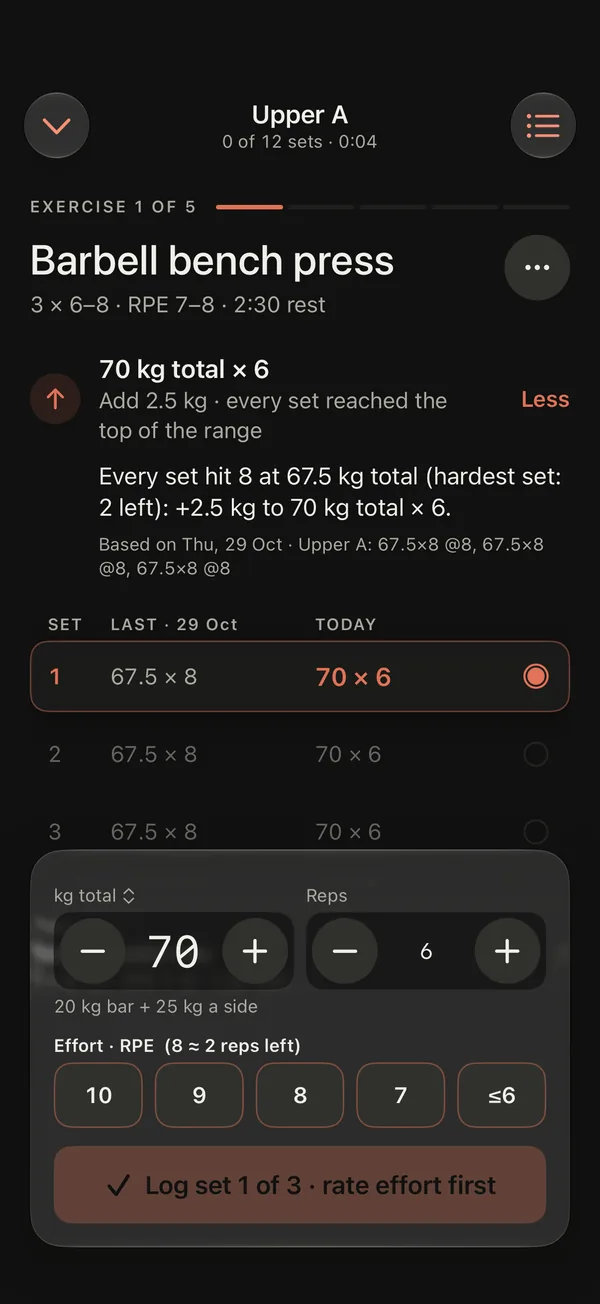
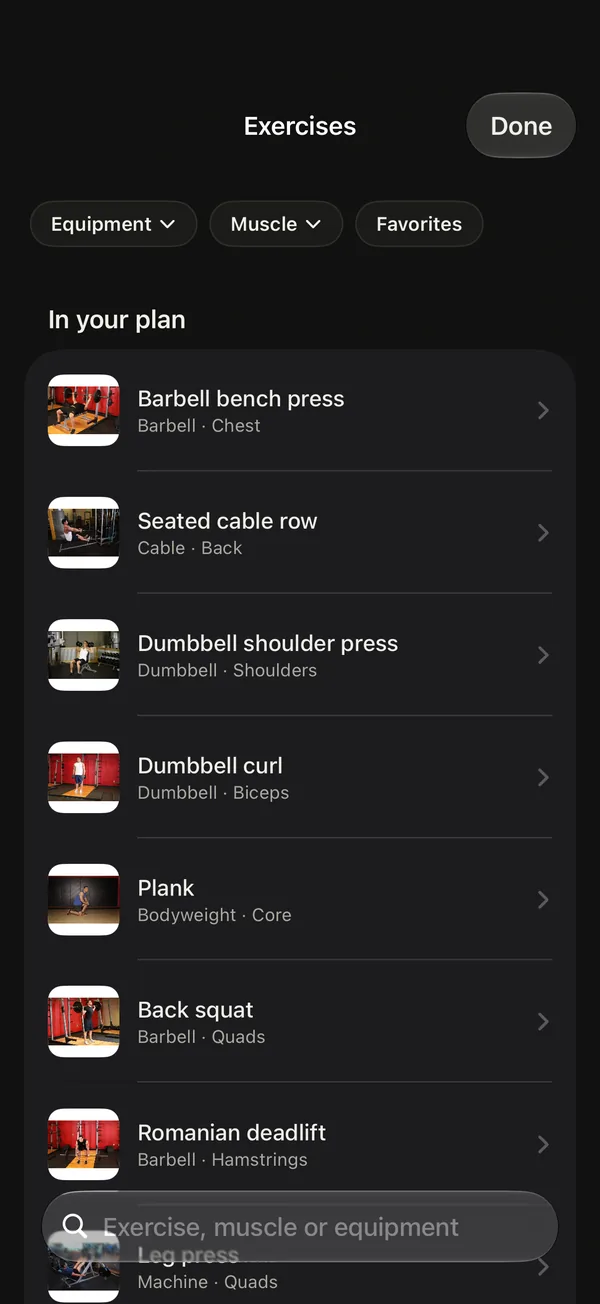
Actual app · sample journey
We make Sojourner, so read this as one side's view. Everything about Lyfta here comes from its App Store listing and privacy label, read on 15 November 2026, and from its own website. Check the current listing before you decide.
01
At a glance
| Lyfta | Sojourner | |
|---|---|---|
| The next weight | Shows your previous weights and reps while you train, and can suggest a starting weight from what you've lifted; its listing says to "use your previous performance as a starting point" | Suggests every weight from your recent sessions and says why: reps first, then your exercise's own weight step |
| Exercise library | 5,000+ exercises with video demonstrations, searchable by muscle and equipment | 366 exercises to plan from; 871 guides with steps that work offline, 868 with photos and 37 with short videos |
| Plans | Ready-made programs (expert programs are Premium) or your own; unlimited routines free | Ten 8-week starting plans, or bring your own from a spreadsheet, a PDF or screenshots |
| Set types | Supersets, warm-ups, drop sets and failure sets; RPE and notes | Drop sets, a "to failure" mark on any set with 0 reps left, and left and right reps for one-sided exercises; warm-up sets ramp up on heavy lifts. Drop sets never move the next weight. No supersets |
| Friends | Follow friends, share workouts, monthly challenges, streaks; public or private profile | No social feed |
| Missed sessions | Not described in its listing | Shows where a missed session can still fit that week; nothing changes until you choose |
| Price | Free with no ads. The App Store lists Premium purchases from $5.99 to $79.99 | Free during the beta |
| Account and privacy label | An account. Label: identifiers and usage data used to track you; health & fitness and contact info also linked to you | No account. Label: Data Not Collected |
| Beyond lifting | Apple Health sync, Strava, widgets | Food (calories and protein), daily habits and one daily score; weight, waist, body fat and lean mass; a training-calendar widget; workouts saved to Apple Health if you choose |
| Platforms | iPhone, iPad, Apple Watch, Android, Wear OS and a web app | iPhone with iOS 26 or later; optional Apple Watch app that runs a workout alone. Android in development |
| Track record | 4.8 stars from about 7,400 US ratings; 5M+ downloads on Google Play | New: a public beta on TestFlight |
02
Choose Lyfta if
You want a video for every exercise
Lyfta's library is many times larger than Sojourner's, with video demonstrations.
You train with friends
And want a feed, challenges and streaks.
You use Android, Wear OS or a computer
Or move between them.
You're switching from an app other than Hevy or Strong
And want your history to come with you: Lyfta imports CSV files from several trackers, including Fitbod, JEFIT and FitNotes (Lyfta). Sojourner reads Hevy and Strong exports only.
03
Choose Sojourner if
You want the next weight decided for you, with the reason
Every set says whether the weight goes up, holds or comes down. Try the rule in the double progression calculator.
You don't want an account or tracking
Your training stays on your iPhone, and the App Store privacy label says Data Not Collected.
Your weeks don't go to plan
A missed session gets an open day this week, without doubling up, and a 30-minute day can drop to the main lifts. See what to do after a missed workout.
You want one app for the day, not just the gym
Calories, protein and the habits you choose feed one daily score.
04
How each one helps you progress
Lyfta puts your previous sets in view and can offer a starting weight from what you've lifted; the target is yours: its listing describes working "toward another rep, a little more weight or your next personal best". Its charts, records and estimated one-rep max show how a lift is going.
Sojourner applies one rule for you. Keep the weight until every working set reaches the top of your rep range at the planned effort. Then add your exercise's smallest step and go back to the bottom of the range. It lowers the weight only when it fails the bottom of the range, and each set tells you which happened. It also counts this week's sets per muscle and flags any under 10.
05
Switching
Lyfta can export your workouts as a CSV file, but Sojourner can't read it: it imports Hevy and Strong exports only. If you logged in Hevy or Strong before Lyfta, that history can come across (Train → Progress, or Settings → Your data). For your Lyfta lifts, start each one at your current working weight and let the reps take it from there.
Your routine comes separately: paste it as text, or share screenshots, a spreadsheet or a PDF, and review every exercise before it replaces anything.
Sojourner: Habits & Training
Know why the weight changed.
Sojourner suggests each weight from your last session and tells you the reason. Free iPhone beta on TestFlight, no account.
TestFlight public beta · iOS 26 or later · Android in development